-Jul-04-2023-10-20-41-2403-AM.png?width=200&height=50&name=Help%20Centre%20Logo%20(800%20%C3%97%20200px)-Jul-04-2023-10-20-41-2403-AM.png)
What you can try to resolve this issue,
-
Go to your phone Settings.
-
Select the App Management/Manager option.
-
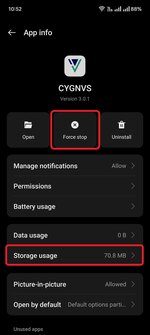
Search for the CYGNVS app.
-
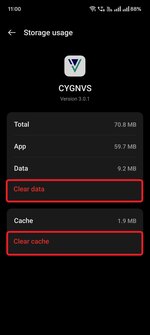
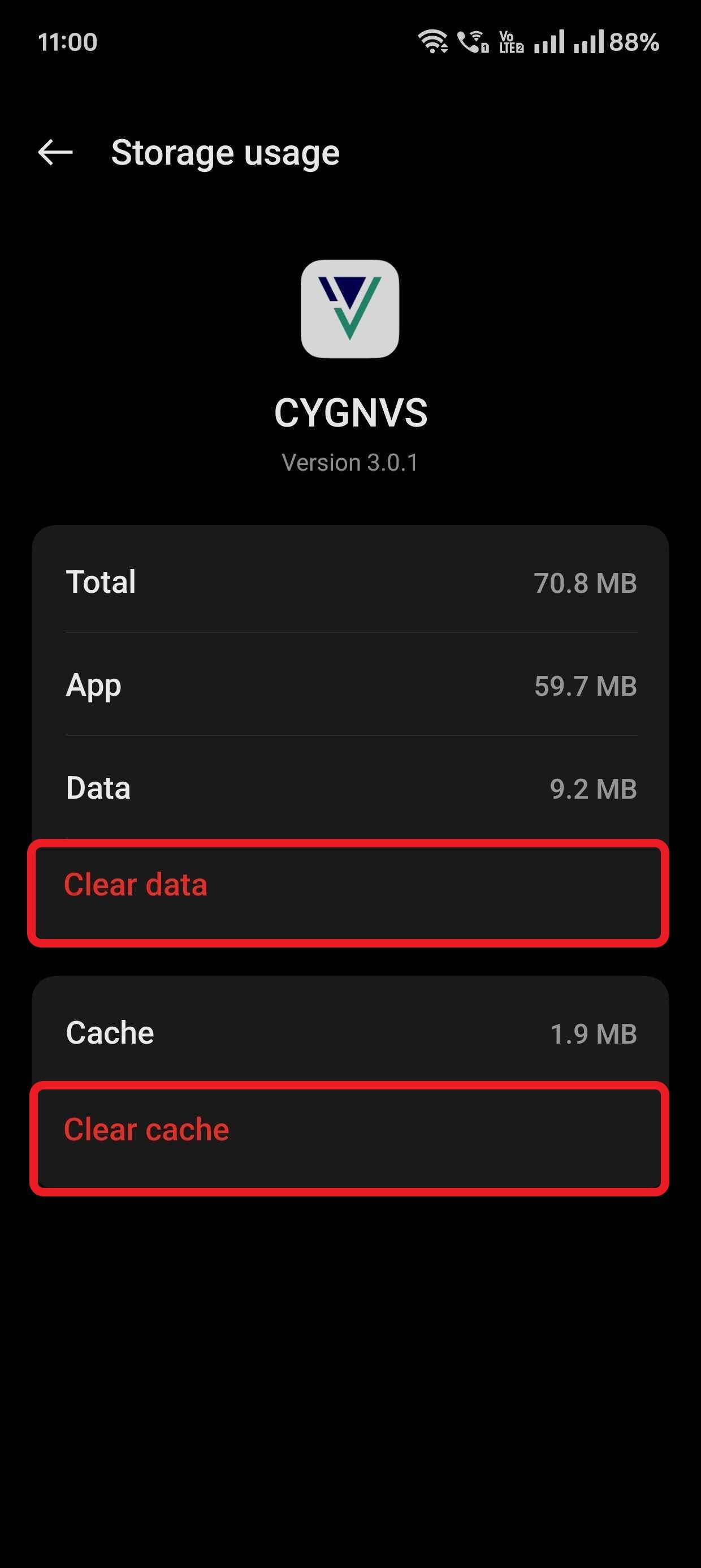
Under Storage, clear data and cache.
-
Force Stop the CYGNVS app.
Close the CYGNVS app if running in the background.
Restart the app and try to sign-in again. If the issue still persists, please contact support@cygnvs.com for further help.