-Jul-04-2023-10-20-41-2403-AM.png?width=200&height=50&name=Help%20Centre%20Logo%20(800%20%C3%97%20200px)-Jul-04-2023-10-20-41-2403-AM.png)
Registration via Web:
-
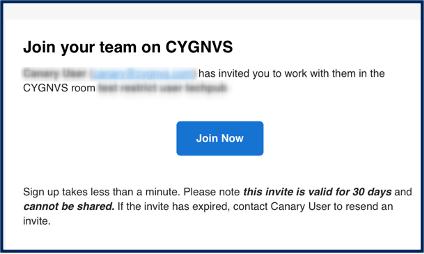
Click Join Now in the email
-
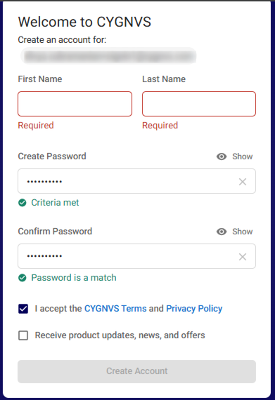
Enter your name and password to create an account.
-
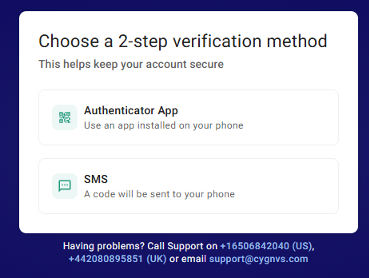
Choose an Authenticator App or SMS for 2-step verification.
-
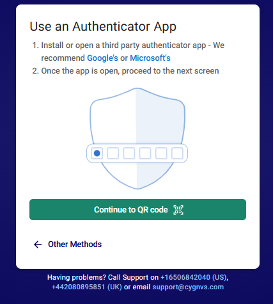
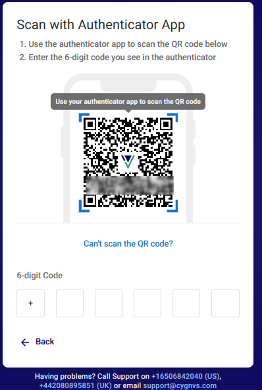
Download or use an Authenticator App in your mobile device to scan the QR code. Refer here to download and use an authenticator App. Tap Continue to QR code.
-
Enter the six-digit code from the authenticator app to complete registration.
Registration via Mobile:
-
Tap Join Now in the email or the invitation link in the received SMS.
-
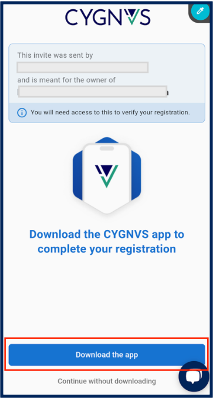
Tap Download the app and install CYGNVS app from Play Store or App Store.
Note: If you access the Join now link in any other browser other than Safari in iOS phones, then it’ll take you to the browser to complete the registration. You must then manually log into the CYGNVS mobile app with your credentials.
-
Tap Join Now again from the email or SMS (Step 1) or tap Register Now in the newly received email or SMS.

-
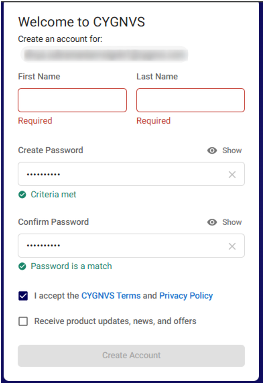
Enter your name and password to create an account.
-
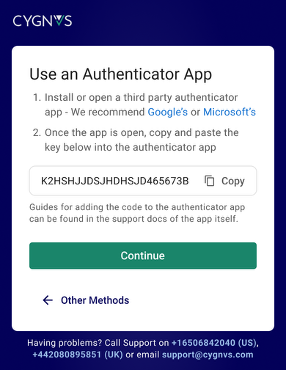
Tap Authenticator App. Copy the key and tap Continue.
-
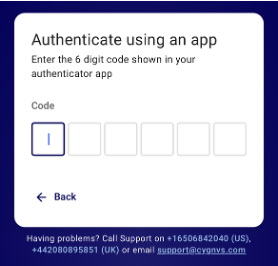
Download the Authenticator app and enter the six-digit code displayed in it into the CYGNVS mobile app.
-
Your device gets registered with your CYGNVS account. CYGNVS links your mobile device to your account.
-
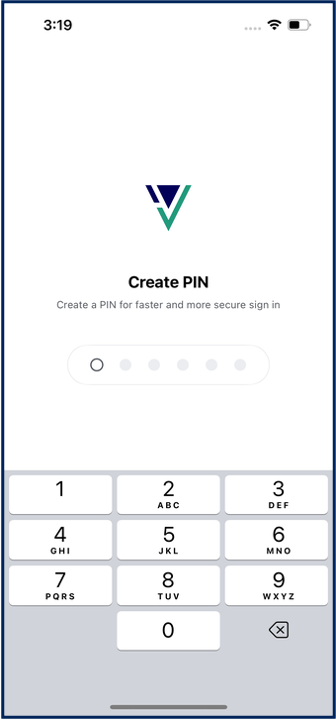
You’ll be prompted to Create PIN. Enter a six-digit number to set your PIN.
-
Confirm PIN by re-entering the six-digit number for secure and easy sign-in for future logins.
-
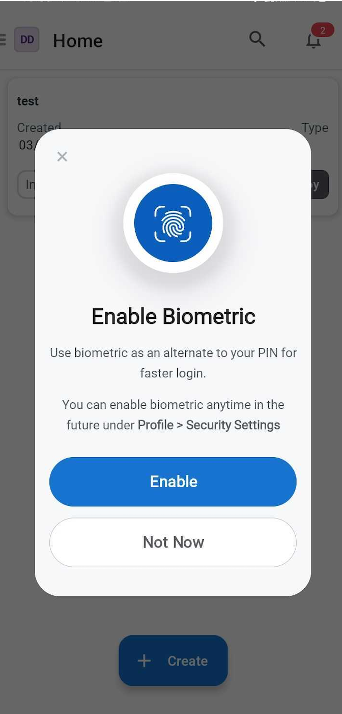
(Optional) Tap Enable to set your biometric authentication such as Face ID or Fingerprint.